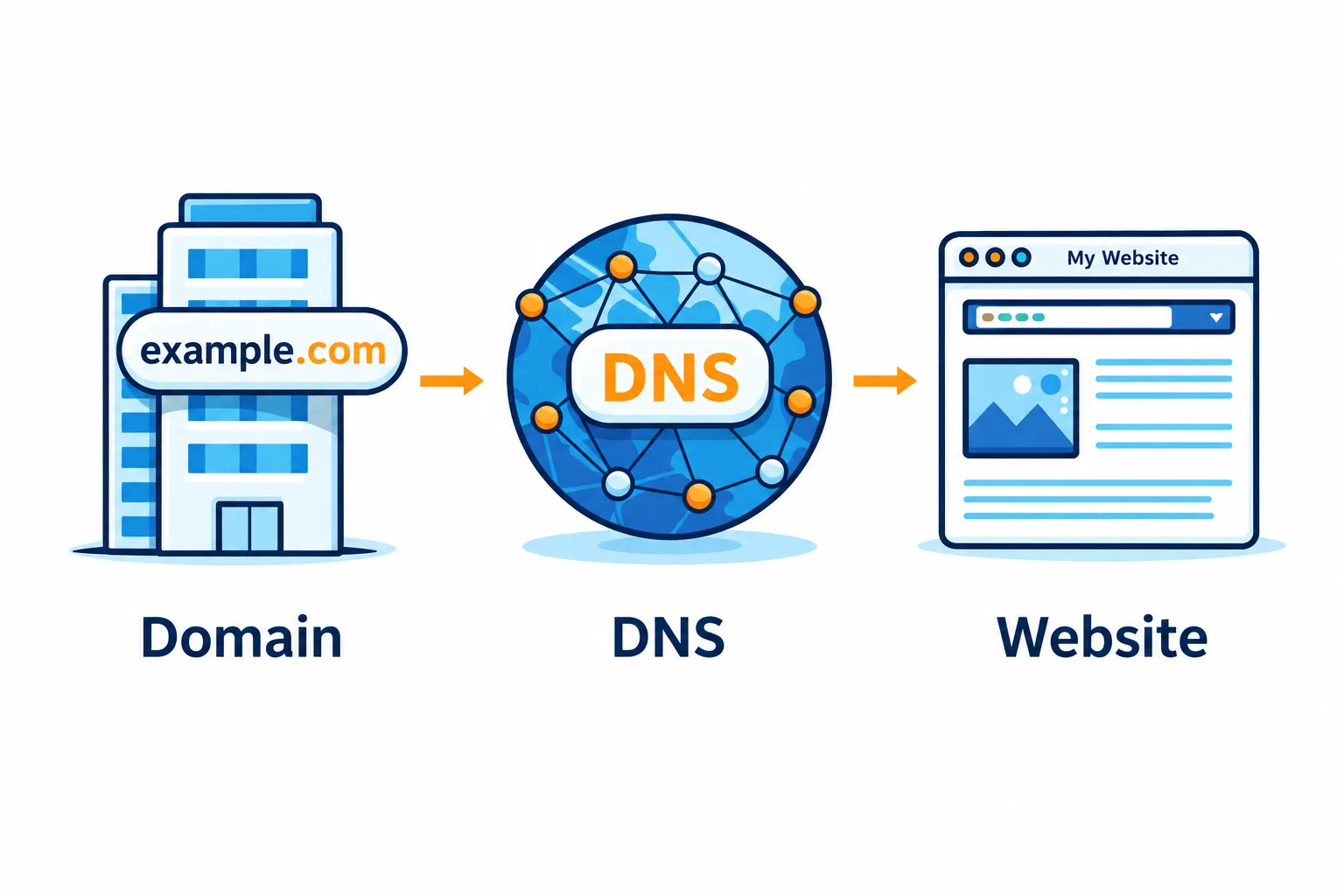
What's the Difference Between a Domain, DNS, and a Website?
Picture this: a Monday morning, and two clients have already called to say your website is down. Your inbox isn’t receiving new messages either. You call your hosting company. They say the problem is with your domain. You call your domain registrar. They tell you to check your DNS settings. You have no idea what any of this means, or who is actually responsible for fixing it.
This scenario is familiar to many small businesses. Part of the confusion comes from treating an online presence as a single thing when it actually depends on three separate layers: a domain, a DNS configuration, and web hosting. A problem with one layer can make the services that depend on it unavailable. Understanding those layers makes troubleshooting much faster.
Your Domain Is Your Address, Not Your House
A domain name is the human-readable address people type to find your business online. Something like yourbusiness.com or yourbusiness.net. It’s the label your customers use, and it’s what shows up in your email address when you use a business email account tied to your company name.
Here’s what surprises many business owners: registering a domain gives you the right to use it for a renewable period, rather than permanent ownership. You register it, typically for one to ten years at a time, through a domain registrar like GoDaddy, Namecheap, or Cloudflare.
If you don’t renew, expiration can disrupt your website and business email. That doesn’t necessarily happen the instant the registration expires, and the domain generally doesn’t become available to someone else immediately. Depending on the registrar and domain extension, there may be renewal and recovery periods. But if you leave it unresolved, you can eventually lose the domain.[1]
The domain itself contains no website files, content, or email. It’s a name. To make it useful, you need DNS to help browsers and email systems find the right services, and you need hosting to make your website available.
There were 364.3 million registered domain names globally at the end of 2024.[2] For businesses that rely on one, domain registration is an easy part of staying online to overlook, right up until a renewal notice gets ignored.
DNS Is the System That Makes Your Address Work
DNS stands for Domain Name System. It’s often described as the phone book of the internet: when you type a domain name, DNS looks up the corresponding numerical address, the IP address, that your browser needs to connect to the website. Email systems also use DNS to find where to deliver messages.[3]
These lookups usually happen quickly in the background. Browsers and other systems also save, or cache, the results so they don’t have to repeat the full lookup every time. You rarely notice DNS until it stops working.
DNS information is stored in records on nameservers. These records are the settings that tell browsers, email systems, and other services how to find and handle services for your domain. The ones most relevant to small businesses are:
A Record
This points your domain to an IPv4 address, often the address of your hosting server. It helps browsers find the server that serves your website.
MX Record
This tells email systems where to deliver messages sent to your domain. Incorrect MX records can cause incoming emails to be delayed, rejected, or sent to the wrong mail server.
CNAME Record
This creates an alias, for example making www.yourbusiness.com an alias of yourbusiness.com, or pointing a subdomain to a third-party service’s hostname.
TXT Record
Often used for email security settings such as SPF, DKIM, and DMARC, which help protect your domain against email spoofing and phishing. TXT records are also used by services like Google Search Console or Microsoft 365 to verify domain ownership.
When these records are wrong, outdated, or missing, the symptoms can look like your website is broken when the actual problem is one misconfigured line in a DNS settings panel.
DNS changes also don’t necessarily take effect everywhere at once. Because DNS data is cached, some systems may keep using an old record until its cache lifetime, called its time to live or TTL, expires. Many routine record changes become visible within minutes, depending on those settings.[4] Nameserver changes can take longer, sometimes 24 to 48 hours and occasionally up to 72 hours.[5] That’s why changing hosting providers or updating DNS settings can cause temporary inconsistency where some visitors see the old site and others see the new one.
Your Website Lives on a Hosting Server
Web hosting is the service that stores and serves the files and runs the software that make up your website: the HTML, images, databases, video, and code. Your hosting provider runs the internet-connected servers that make those resources available to visitors.
Once DNS provides the address, the visitor’s browser connects to the server handling your website. The server reads the request and returns the content the browser needs to display the webpage.
Hosting and domain registration are often sold together by the same company, which creates the impression that they’re the same thing. They aren’t. You can register a domain with one company, use a completely separate hosting provider, and manage your DNS through a third service entirely. That flexibility is useful, but it can also mean separate vendors, logins, and billing arrangements to track.
How All Three Work Together, and What Breaks When One Fails
The basic chain looks like this: a visitor types your domain into their browser. DNS supplies the IP address for your website. The browser connects to that address. The server returns your website content. The visitor sees your site.
A failure anywhere in that chain can look the same from the outside: “the website is down,” even though the cause and the fix are completely different.
If your domain expires, the registrar may interrupt its DNS service. Your website, business email, and other services that depend on the domain can become unavailable, even if their hosting accounts are still active. The timing varies, so an expired domain that appears to keep working is still a problem that needs immediate attention.[1]
If your DNS records are misconfigured, say, an A record pointing to an old server after a hosting migration, your domain is active and your new hosting server is running, but visitors are being sent to the wrong place. The result can look like an outage even though both pieces are technically working.
If your hosting server goes down, DNS may still provide the correct address, but the server can’t respond normally. Visitors may see a connection error, a timeout, or an error page.
A broader DNS failure can affect several business functions at once. If your website, email, and other services depend on the affected DNS configuration, they can all become unavailable together. The scope matters: an incorrect website record may affect only the website, while a nameserver problem can disrupt the entire domain.
Why This Matters More Than You Might Expect
For most businesses, this is purely background knowledge until something breaks. Then it becomes urgent, confusing, and expensive.
A common problem is that no single person knows who controls what. The domain was registered years ago with one company. Hosting was set up by a web designer who no longer works with the business. DNS was managed by someone who left. When there is an outage, no one can log in to fix it because nobody knows where the accounts are or who has the credentials.
Network Solutions reports that 81% of shoppers research online before making a purchase.[6] A website that’s down during that research can send potential customers elsewhere. It can also leave them questioning whether the business is reliable.
For professional services businesses, including law firms, accounting practices, and insurance agencies, the email dependency makes this even more acute. These businesses run on domain-based email. A domain expiration or broad DNS failure can interrupt communication along with the website.
The fix isn’t complicated. Keep track of where each service lives and when registrations renew. Make sure at least one person in the business has admin access to the domain registrar, the DNS panel, and the hosting account. Treat domain renewal notices with the same urgency as a utility bill.
Getting It Under Control
Managing a domain, DNS, and hosting correctly isn’t especially difficult once the roles are clear. But it does require consistent attention to renewal dates, record accuracy, and account access, which often falls through the cracks in small businesses without dedicated IT support.
As part of managed IT services, Inter-Quest helps businesses keep track of these moving parts. We know where your domain lives, when it renews, who has access, and what your DNS records are supposed to say. When there is a problem, we’re not starting from scratch trying to figure out which vendor to call.
If you’re not sure who controls your domain, DNS, or hosting, or if you’ve had an outage you couldn’t fully explain, that’s a good place to start. Reach out to our team and we’ll help you get a clear picture of what you have and who’s responsible for keeping it running.
References
[1] 5 Things Every Domain Name Registrant Should Know About ICANN’s Expired Registration Recovery Policy (ERRP)
[2] DNIB.com Reports Internet Has 364.3 Million Domain Name Registrations at the End of the Fourth Quarter of 2024
[3] What Is DNS? How DNS Works